
HIPAA-Compliant Mobile App Development : Best Practices
Last Updated on
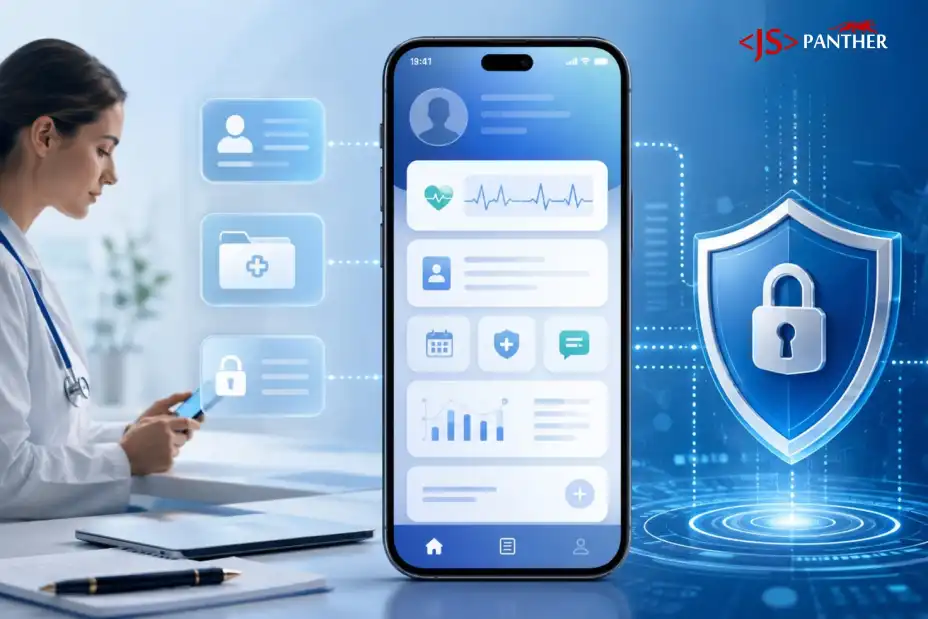
If your app creates, stores, or transmits patient data, HIPAA compliant mobile app development isn’t optional; it’s the baseline. That means encrypting protected health information (PHI) everywhere it lives, restricting access to people who actually need it, logging every touch of that data, and putting signed agreements in place with any vendor whose software gets near it. None of this is exotic engineering. It’s a set of decisions that have to get made early, before a single screen gets designed, not patched in after a security review flags them.
This guide walks through the ten practices we lean on for every healthcare build, what a real risk profile looks like, and the questions worth asking any development partner before you sign a contract.
Key Takeaways:
- HIPAA compliance has to be designed in from day one; it’s far cheaper to build in than to retrofit after launch.
- Every vendor that touches PHI needs a signed BAA. No exceptions.
- Mobile devices carry risks a server-side setup can’t cover, so hardening the app itself matters as much as hardening the backend.
- Compliance is a maintained state, not a launch-day checkbox; it takes ongoing patching, audits, and training.
What HIPAA Actually Regulates
HIPAA is a 1996 federal law, and for app developers it doesn’t hinge on whether the app simply contains health data. It hinges on whether the app creates, receives, maintains, or transmits PHI on behalf of a covered entity or business associate. PHI is any health data that can identify a person: names, medical record numbers, diagnoses, lab results, insurance details, even device identifiers tied to health data. A fitness app where someone logs their own workouts generally isn’t covered; the same data flowing through a clinic’s patient portal is.
Five rules within HIPAA shape most development decisions:
- Privacy Rule — governs how PHI can be used and shared, and gives patients rights over their own records.
- Security Rule — requires administrative, technical, and physical safeguards for electronic PHI. This is the rule that drives most of the engineering decisions in this guide.
- Breach Notification Rule — sets notice requirements after breaches of unsecured PHI, including affected individuals and HHS, with media notice required for breaches affecting 500+ people in a state.
- Enforcement Rule — sets the investigation and penalty structure for violations.
- Transaction and Identifier Rules — standardize electronic claims, code sets, and identifiers like the National Provider Identifier.
Most of what follows in this guide traces back to the Security Rule, since that’s the one that determines how the app itself gets built.
Covered Entity or Business Associate — Which Are You?
HIPAA covers two kinds of organizations: covered entities (healthcare providers, health plans, and clearinghouses managing PHI directly) and business associates (everyone else who touches that data on their behalf, including app developers and hosting providers).
Build a mobile app for a hospital, clinic, or health plan, and you’re almost certainly a business associate. When that puts JS Panther in the role, BAAs, access controls, and audit logging aren’t optional add-ons; they’re part of how the engagement starts.
1. Map the Risks Before Anyone Touches Code
Because you can’t protect what you haven’t mapped. Before anyone touches a wireframe, we walk through every point where PHI enters the app, where it sits once it’s there, who can reach it, and what breaks if that point fails. Each risk gets scored for likelihood and impact, and every mitigation gets written down, not because it’s bureaucratic, but because an auditor (or an incident investigator) will ask for exactly that documentation later.
This is standard practice for healthcare app development, and skipping it is the single most common reason projects end up retrofitting security instead of building it in. A risk assessment done in week one costs a few days. Done after launch, it costs a rebuild.
2. Encrypt PHI Everywhere It Lives
Encrypt everything, full stop. Under the current Security Rule, encryption is technically “addressable,” which in practice means you either do it or you write a very convincing explanation for why you didn’t. Almost nobody has that explanation, and HHS has already signaled it wants to make encryption mandatory outright in a pending Security Rule update.
We use AES-256 for anything at rest, databases, backups, local device storage, and TLS 1.2 or higher for anything moving across a network. Keys stay separate from the data they protect, and they get rotated on a schedule, not “whenever someone remembers.”
3. Give Each Role Only the Access It Needs
Nobody gets more access than their role needs. That’s the whole principle, and it shows up in a handful of concrete requirements: unique logins for every user (no shared credentials, ever), role-based permissions, strong password policies, and multi-factor authentication for anyone touching PHI.
We also build in automatic logoff after a period of inactivity, typically 15 minutes for a clinical dashboard, shorter on shared devices, and access gets pulled the same day someone changes roles or leaves. This is one of the most direct paths to a HIPAA compliant mobile app, and it’s also one of the cheapest to get right early. Retrofitting access control into an app that was built without it is painful.
Talk to JS Panther about your healthcare app, patient platform, or compliance-sensitive build. No pressure, just a direct conversation about what it will take to get it right.
Ready to Build a HIPAA-Compliant App the Right Way?

4. Log Every Touch of Patient Data
Because “we think nothing was accessed” isn’t an answer HHS will accept, and it isn’t one you’d want to give a patient either. The app should log who touched which record, when, from where, and what changed, reads, exports, failed login attempts, permission changes, all of it.
Logs go into append-only storage so nobody can quietly edit them after the fact, and they’re kept for at least six years to match HIPAA’s documentation retention window. We treat logs as an early-warning system, reviewed on a schedule, not something you dig up only after something’s already gone wrong.
5. Don’t Assume Your Cloud Provider Covers You
AWS, Azure, and Google Cloud all support HIPAA workloads and will sign a Business Associate Agreement. That’s a necessary condition, not a sufficient one. A BAA from your cloud provider makes the infrastructure eligible; it says nothing about whether your storage buckets are locked down, your databases are exposed, or your permissions are configured correctly. Misconfiguration, not the cloud vendor, is where most of these breaches actually start.
This is where a healthcare software development Raleigh team that’s already done this work earns its keep. Configuring HIPAA-eligible infrastructure correctly is a different skill than just picking a provider off a list.
6. Get the BAA Before the Vendor Touches PHI
Any vendor acting as your business associate needs a signed BAA before it touches PHI. That includes your hosting provider, your development partner, your email service, your crash-reporting tool, and any analytics SDK bundled into the app. If a vendor is your business associate, don’t send PHI until the BAA is signed. That principle eliminates most consumer-grade tools from a healthcare app’s stack
7. Test Your Backups Before You Need Them
HIPAA requires a contingency plan, retrievable, exact copies of ePHI, a tested restore process, and a defined recovery path for events like ransomware. We encrypt backups the same way we encrypt live data (AES-256), store them separately from primary systems, and restrict who can touch them.
A backup nobody has tested is just a hope. Run the restore. Time it. Fix whatever breaks before you need it for real.
8. Protect PHI on the Device, Not Just the Server
Server-side controls don’t cover everything a phone can do wrong. Tokens and any cached PHI need to sit in the platform’s secure storage, Keychain on iOS, Keystore on Android, never in plain files or shared preferences. App previews in the task switcher get suppressed so PHI isn’t sitting visible on a lock screen when someone backgrounds the app. Lost or stolen devices need a way to be cut off remotely, and for higher-risk apps, jailbreak and root detection are worth the extra build time.
This layer is what separates true HIPAA compliant modern healthcare mobile app development from a web app with a wrapper around it. Mobile devices leave the building. Servers don’t.
9. Stay Ahead of Patches and Vulnerabilities
Continuously, not once. Ship security patches as they land, keep dependencies current, and plan OS and framework upgrades before old versions reach end of life. HHS’s proposed Security Rule update would formalize this with a six-month vulnerability scanning cadence and annual penetration testing, and honestly, building to that standard now is far cheaper than retrofitting it once it becomes mandatory.
Someone on the team needs to own tracking regulatory changes too. HIPAA guidance shifts, and state privacy laws layered on top of it shift more often than most people expect.
10. Make Compliance a Habit, Not an Event
Most breaches trace back to people, not code: a clicked phishing link, a password shared over Slack, a laptop left unlocked. Everyone who touches PHI needs training on handling it correctly, spotting phishing attempts, and reporting incidents fast. We run this at onboarding, refresh it annually, and keep a record of who’s completed it, because auditors ask for that record specifically.
Compliance isn’t a certificate you earn once. It’s a habit the whole team has to keep practicing.
Where Compliance Quietly Falls Apart
- Treating compliance as a launch-day checklist. New features, new vendors, and staff turnover quietly erode compliance over time. Schedule recurring risk assessments, not just a pre-launch review.
- Assuming a cloud vendor’s BAA makes the app compliant. It covers their infrastructure. A misconfigured storage bucket or open database is still on you.
- Forgetting BAAs for smaller vendors. Teams remember the hosting provider and forget the crash-reporting tool or the email service — and those are often exactly where PHI leaks out unnoticed.
- Collecting more PHI than the app actually needs. Every extra field stored is extra liability. Minimum-necessary applies to design decisions, not just access policy.
Final Takeaway
If you’re evaluating mobile app development services in Raleigh for a healthcare product, the questions worth asking any vendor are simple: Have they signed BAAs before? Do they know what “addressable” means under the Security Rule? Can they show you an actual risk assessment they’ve produced, not just describe one? Those answers tell you more than a portfolio page will.
Talk to JS Panther’s team about your app’s compliance requirements before you start scoping. Contact Us
FAQ
How long does HIPAA compliant mobile app development typically take?
HIPAA-compliant mobile app development typically takes 4–9 months for an MVP in Raleigh-Durham, NC. Enterprise platforms with deep integrations require 9–18+ months. Timelines depend on scope, EHR integrations, and compliance depth, with local vendors aligning to national benchmarks.
How much does HIPAA-compliant mobile app development cost
HIPAA-compliant mobile app development costs $60,000–$260,000 for an MVP in 2026, with enterprise platforms ranging $200,000–$600,000+. Compliance adds 20–40% ($10K–$60K) to baseline development, plus $3,000–$15,000 annually for ongoing audits and maintenance.
Can I use tools like Firebase or Google Analytics in a HIPAA-compliant mobile app?
Generally, no, not in their default configuration. Standard analytics SDKs weren’t built with PHI in mind, and most won’t sign a BAA for the way they’re typically used. Some healthcare teams isolate analytics from any PHI-adjacent screens or use HIPAA-eligible alternatives instead; either way, this needs a deliberate architectural decision, not an afterthought.
How do you select a vendor for HIPAA-ready mobile app backend services?
Ask what they actually configure, not just what they claim to support. AWS, Azure, and Google Cloud will all sign a BAA and call themselves “HIPAA-ready”; that’s the easy part. The real question is whether the vendor locks down storage buckets, encrypts databases correctly, and sets up access controls themselves, since misconfiguration is where most backend breaches start, not the platform itself.